
🖥️Three terminals, three computers
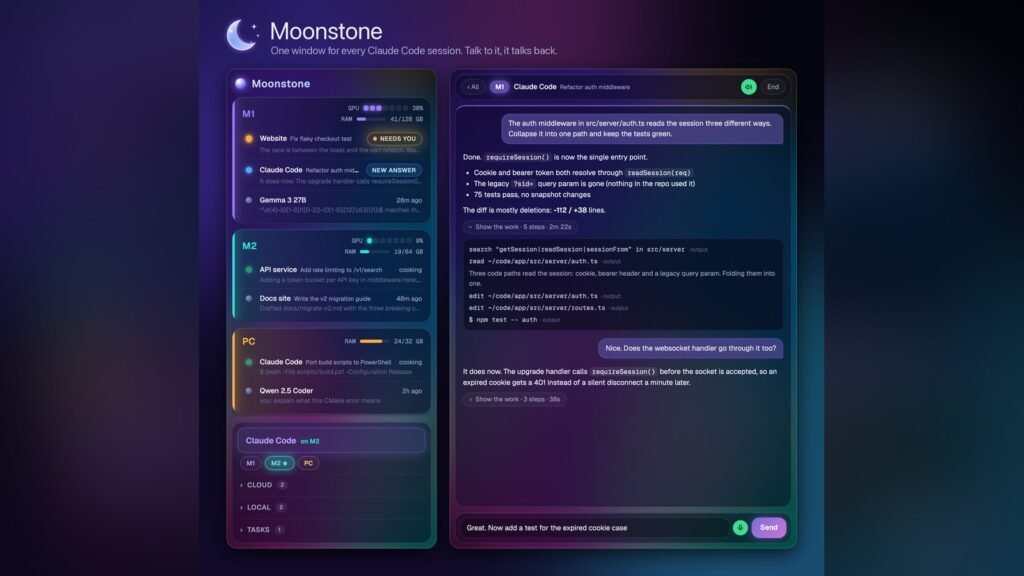
Most days I have three terminals open, each one a Claude Code session, and they live on three different computers: an M5 MacBook, a Mac mini that stays on all the time, and a Windows PC in the shop. A lot of Divine Tribe, my vape business, gets done through those sessions. Orders, shipping, email, the websites, and the apps I build on the side.
The sessions were fine. The screen was the problem. I’m usually in my browser doing orders on my shop dashboard or reading something, and next to it three windows are cooking and scrolling and asking for things. I wanted all of them tucked into a strip on the side of the screen, about a fifth of it, where I could open one up, tell it what I need, and put it back.
🙅It doesn’t touch my browser
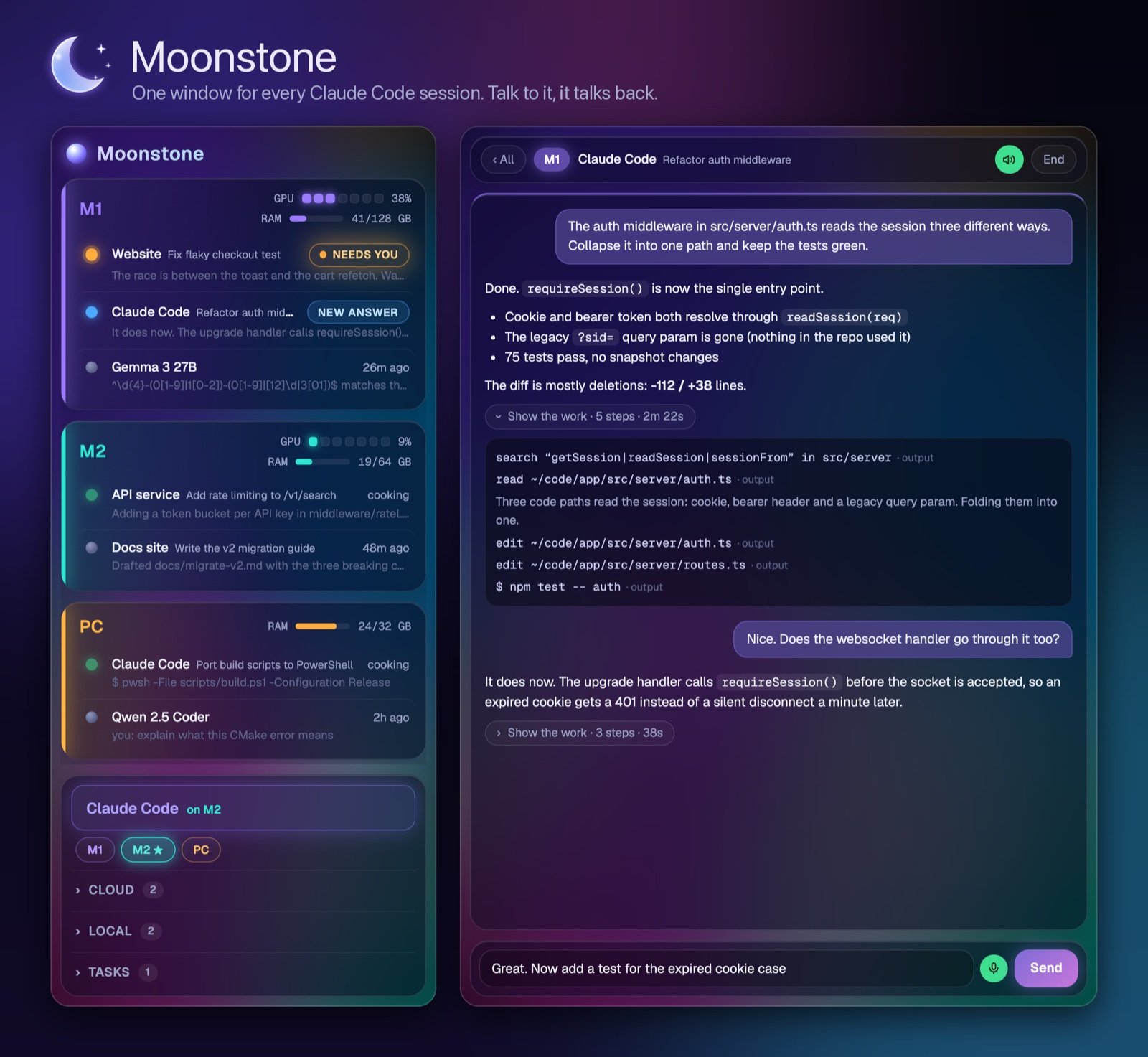
Before anything got built we made a clickable mockup. The first version had a panel that opened pages for me and a terminal that slid over the browser. I said no to both. The browser is mine and I drive it. Moonstone is only the list of conversations and the conversations themselves, in a window I size myself and park next to everything else.
Sessions are grouped by machine and each machine gets its own color. Whatever is waiting on me floats to the top with a NEEDS YOU tag. When I start a new session it picks the computer for me, skipping anything offline and going to whichever one has the least going on, and I can tap a different machine if I want it somewhere else.
⌨️Never read only
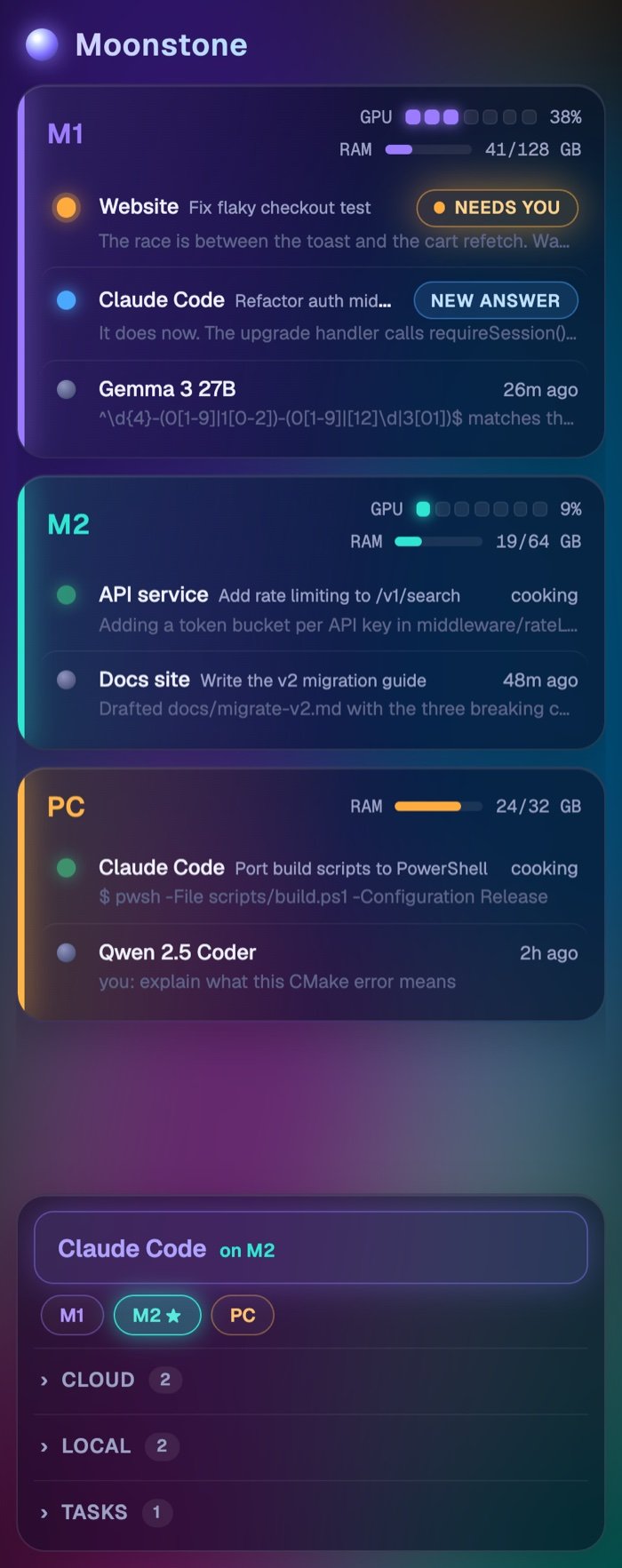
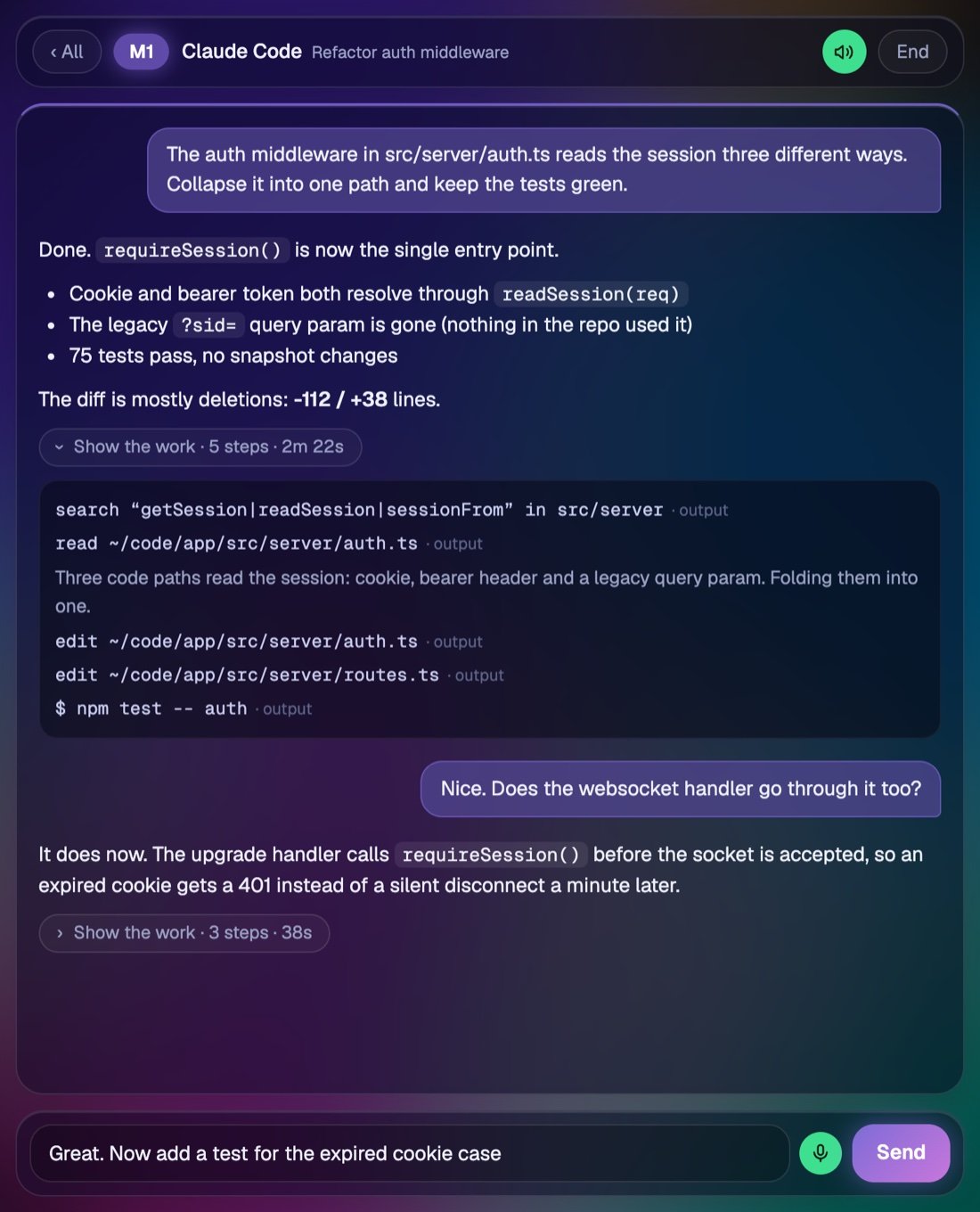
The first working version showed the sessions I had started in a regular terminal as read only, so I could watch them but not type into them. That didn’t last. I never just want to watch a session. I want to type into any of them from that one window like I’m sitting at that computer, and I want plain answers back, not the pile of commands and code it took to get there.
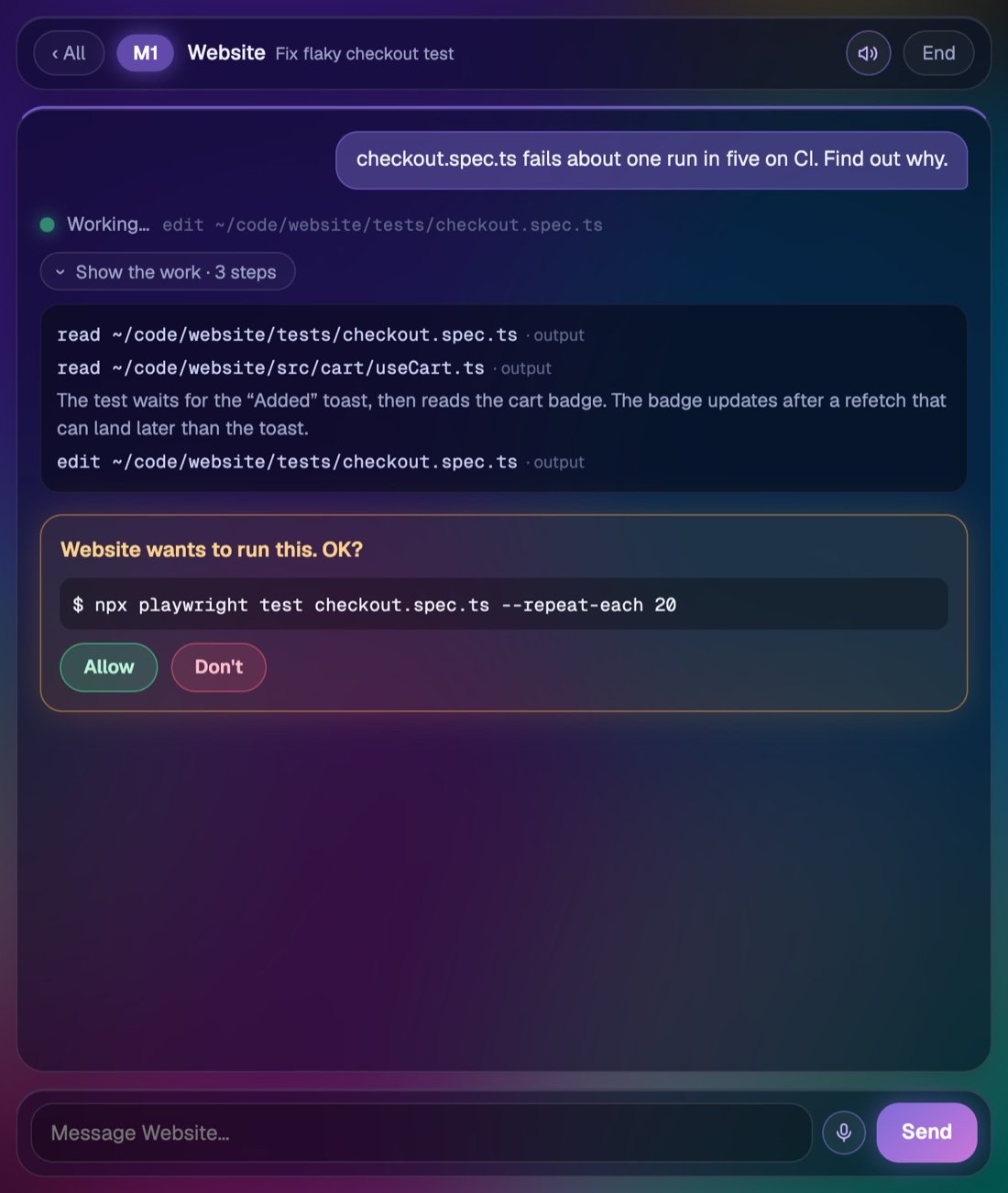
So now typing into a terminal session moves the whole conversation into Moonstone with its history and closes the old terminal window. When a session wants to run something, it shows up as a card with Allow and Don’t, and nothing gets approved unless I tap it.
🎙️Talking to it with my hands full
A good part of my day is packing orders, and I wanted to talk to my sessions while my hands are full. I already had a voice chat called Ohm that reads its answers out loud, and I liked how that felt. I wanted the same thing here.
Every conversation has a mic button. Tap it, talk, then tap it again or hit Enter and it sends. I tried a couple of other ways to do the listening first and none of them felt as instant as the dictation already built into the computer, so that’s what it uses. On a Mac a little helper app turns on the Mac’s own dictation, and on Windows it presses Win+H. Answers get read back in a Kokoro voice running on my own machine. If I have Moonstone open on two computers at once, only the one I touched last does the talking.
🧠Local models in the same list
Not every question needs Claude. The same list has local models on it: Qwen 3.8 Heretic and Gemma 4 on the M5, and SuperGemma 4 E4B on the PC. I run them at full precision, never squeezed down, so the PC gets the model that actually fits its 32 GB at full size. A local model that sits idle for 30 minutes shuts itself off and gives the memory back, and it starts up again on the next message.
The transcription and the voice run on my own computers too. Each machine runs the same small server that only listens to itself, and they reach each other over SSH tunnels.
🌙Where it is now
It’s one Node file and one HTML file with no dependencies, and it’s meant to replace the Trinidad Head terminals I’ve been using. The code is on GitHub under the MIT license at nicedreamzapp/moonstone, and there’s a page for it with the setup steps on my software site.